Cinematographer-grade scopes for the web

Know what your page
actually looks like.

Histogram, waveform, vectorscope, and composition grids — broadcast-grade instruments for the tab you're staring at. Stop guessing. Start seeing.

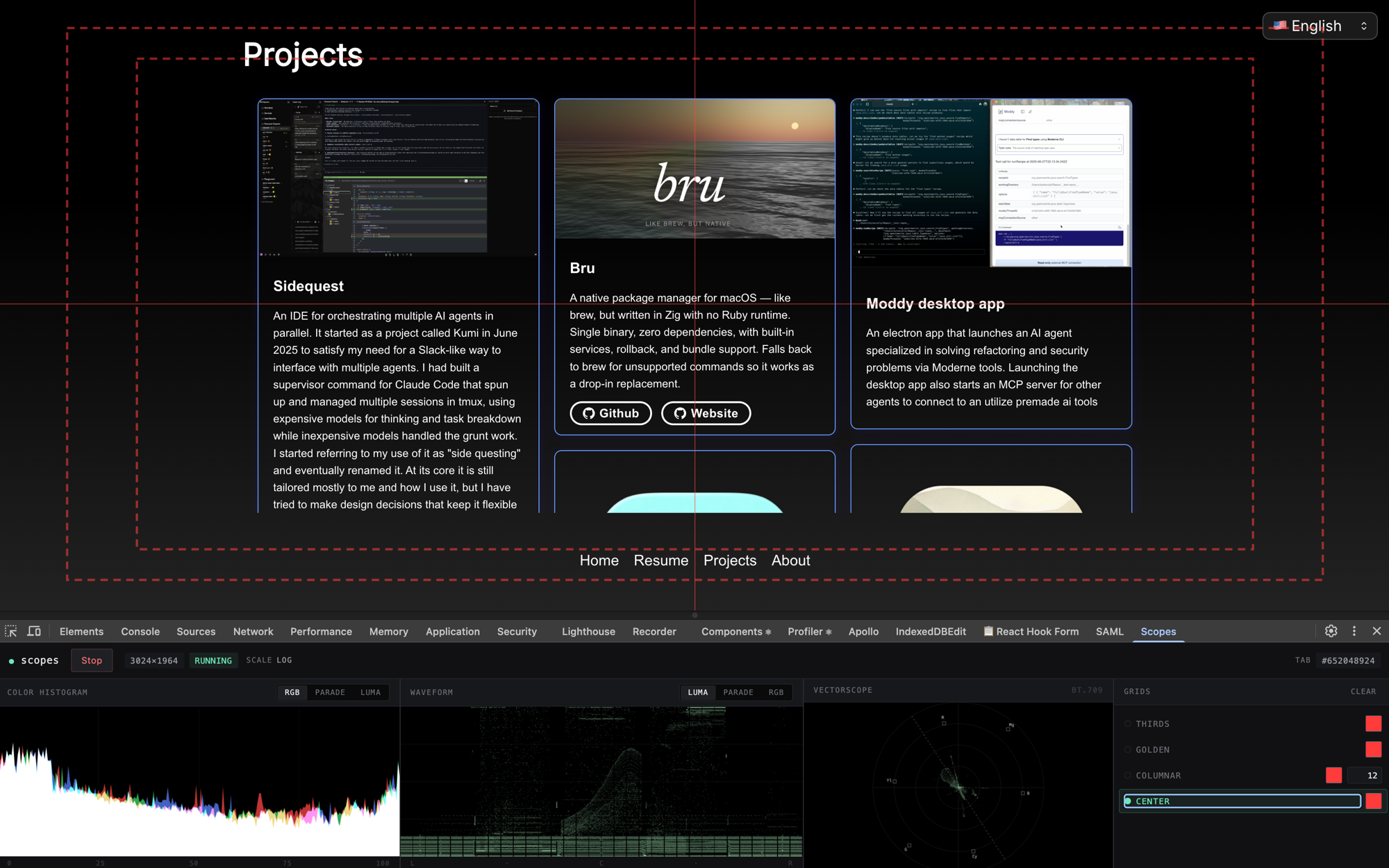
Scopes extension showing histogram, waveform, vectorscope, and grid overlays on a live webpage

Philosophy

Web dev has optimized hard for accessibility and UX metrics — and lost the visual art dimension. A page can pass every a11y audit and still be visually flat. Scopes brings the instruments cinematographers and colorists have used for decades to the one surface where the image actually lives: your browser.

Four instruments

The full scope room, in a side panel.

Every scope is live. Every scope is accurate. Every scope is pointed at the same surface web developers actually ship.

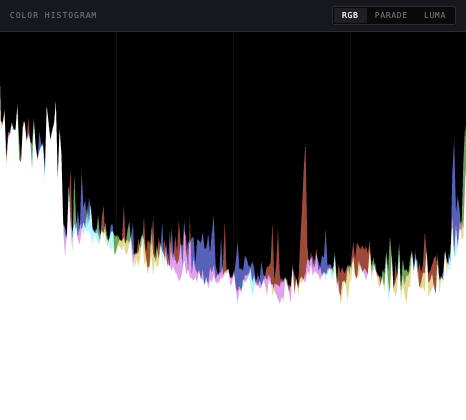
Color Histogram screenshot

01 / HISTOGRAM

Color Histogram

Where your luminance lives.

Every pixel on the page, binned by brightness and by channel. See at a glance whether your design is crushing the blacks, blowing out the whites, or hugging the middle where most flat UI lives. Spot the crush before your users do.
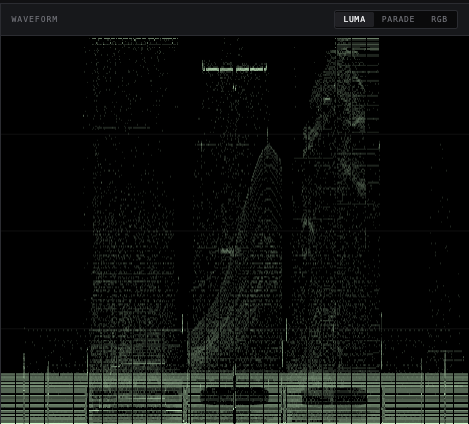
Waveform Monitor screenshot

02 / WAVEFORM

Waveform Monitor

Where the page pulls the eye.

A column per horizontal slice of the page, plotting the luminance range at that position. Bright spikes are the places the eye lands first. Spot the attention-grabbers you meant to create — and the ones you didn't — before a stray highlight starts competing with your actual hero.

Vectorscope screenshot

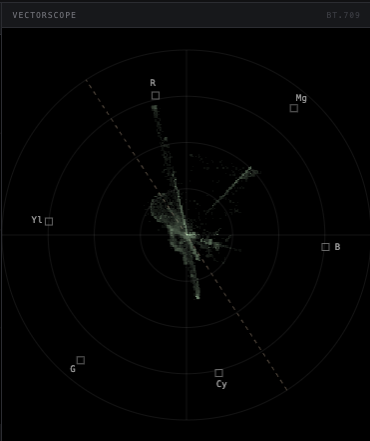
03 / VECTORSCOPE

Vectorscope

Hue and saturation as a color wheel.

Every pixel plotted as a vector from a neutral center — angle is hue, distance is saturation. A tight cluster means your palette is holding. A chaotic spray means a third-party widget, an ad slot, or a user-uploaded image is dragging its own colors onto your page. Brand drift you can literally see.

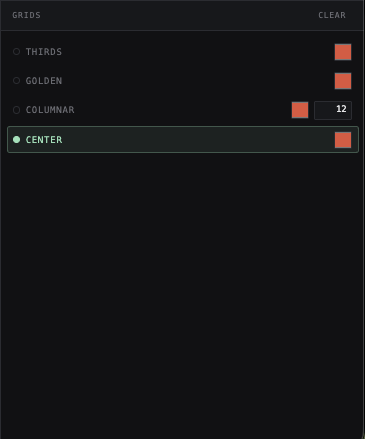
Composition Grids screenshot

04 / GRIDS

Composition Grids

Rule of thirds, safe areas, golden ratio — overlayed on the live page.

Rule of thirds, safe-action and safe-title rectangles, golden ratio and phi grids, centered crosshair — the full compositional toolkit, drawn over the actual live viewport. Align your hero to the intersections cinematographers have used for a hundred years.

Install

Start seeing your page.

Free · Open source · No tracking · No account